

Experience enhanced clarity with the new dedicated eForm Record tab.
By separating the record from the rest of the field metadata,
this update provides a significantly better display of your eForm content.
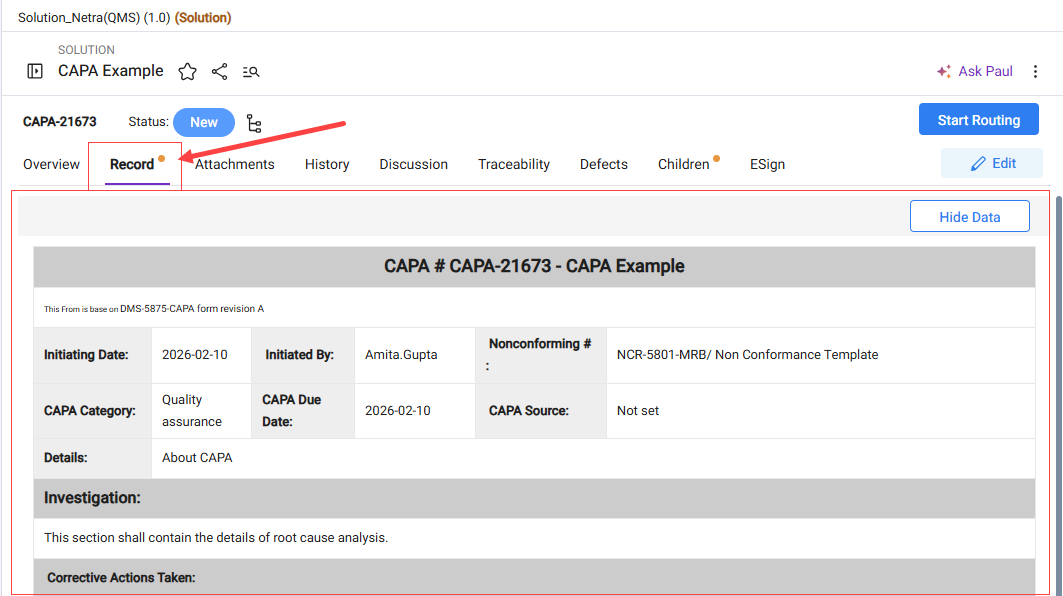
You can enable this new tab for any work item type via the Work Item details edit section in the Admin panel.
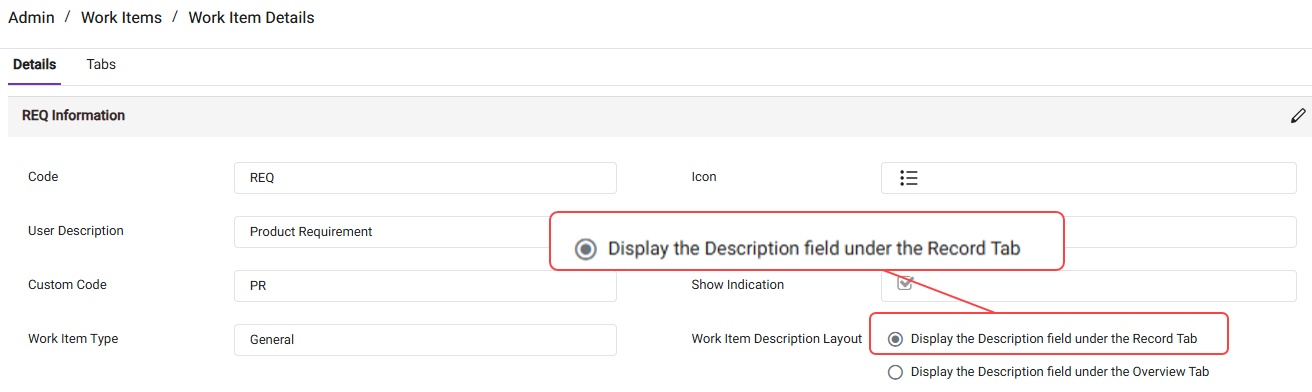
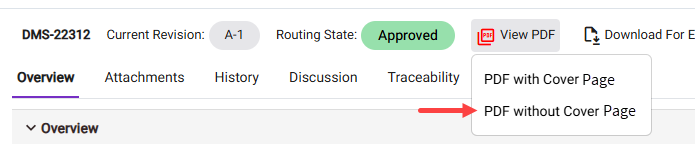
Administrators can enable this option under the Work Item Permission tab in the Admin console.

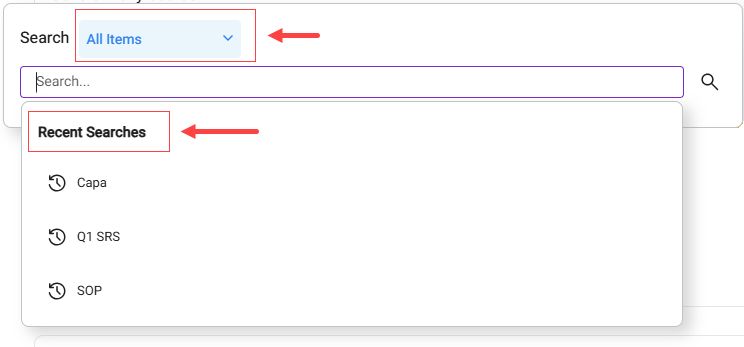
Locating the information you need is now simpler than ever, thanks to an upgraded user interface, recent search history,
refined work item filtering, and priority-ranked results that surface the most relevant results first.
Search pop-up with Work Item Types button and recent searches
We have replaced the original big Add button at the bottom with the new Add and Edit buttons located on the tab bar.
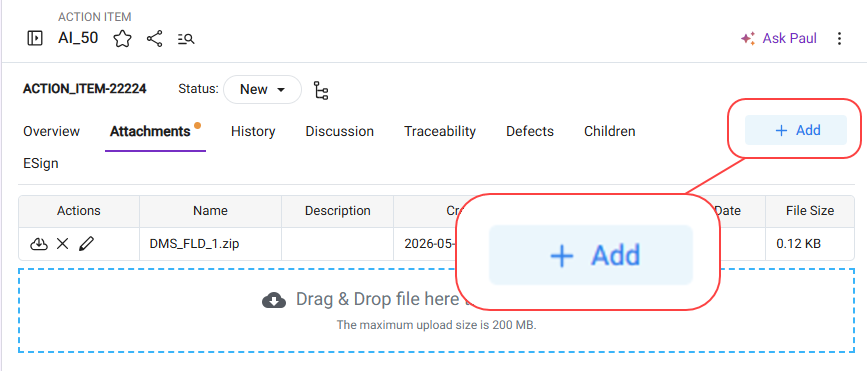

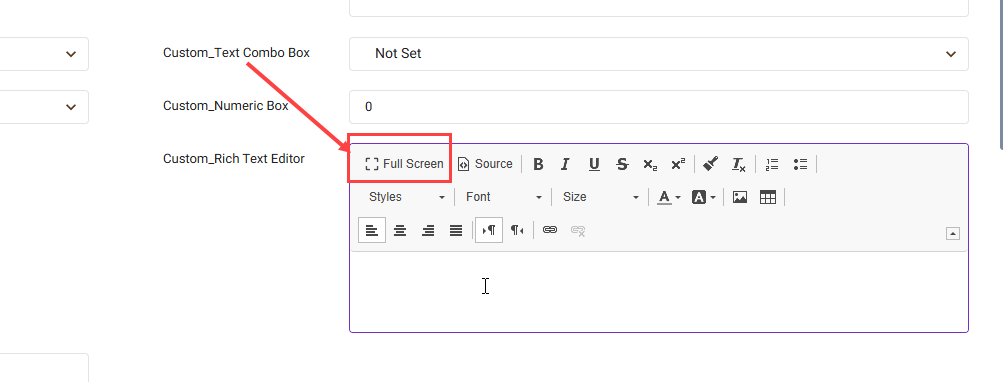
Full-screen rich text field now supports direct saving without leaving edit mode.
Click on Full screen on a rich text field.
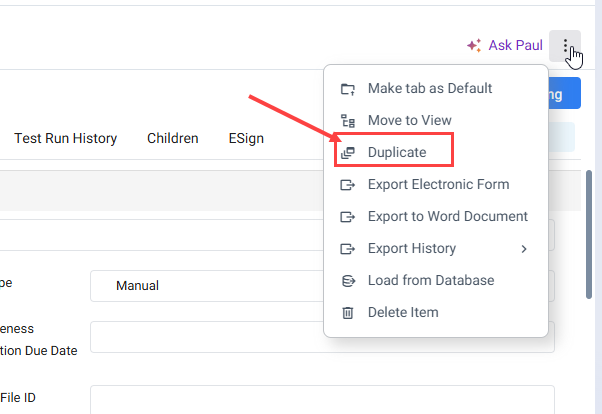
A duplicate action was added in the More Actions menu.
This enhanced duplication feature is now also available for items in the pool, enabling the creation of multiple copies with sequential numbering.
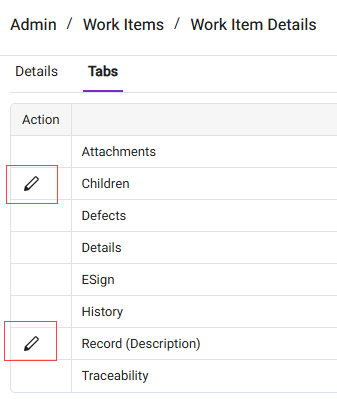
The "Record" and "Children" tabs now feature customizable names, allowing you to edit them to better match your use case.
Administrators can modify these names by navigating to the "Tabs" section within the settings for any specific Work Item type.
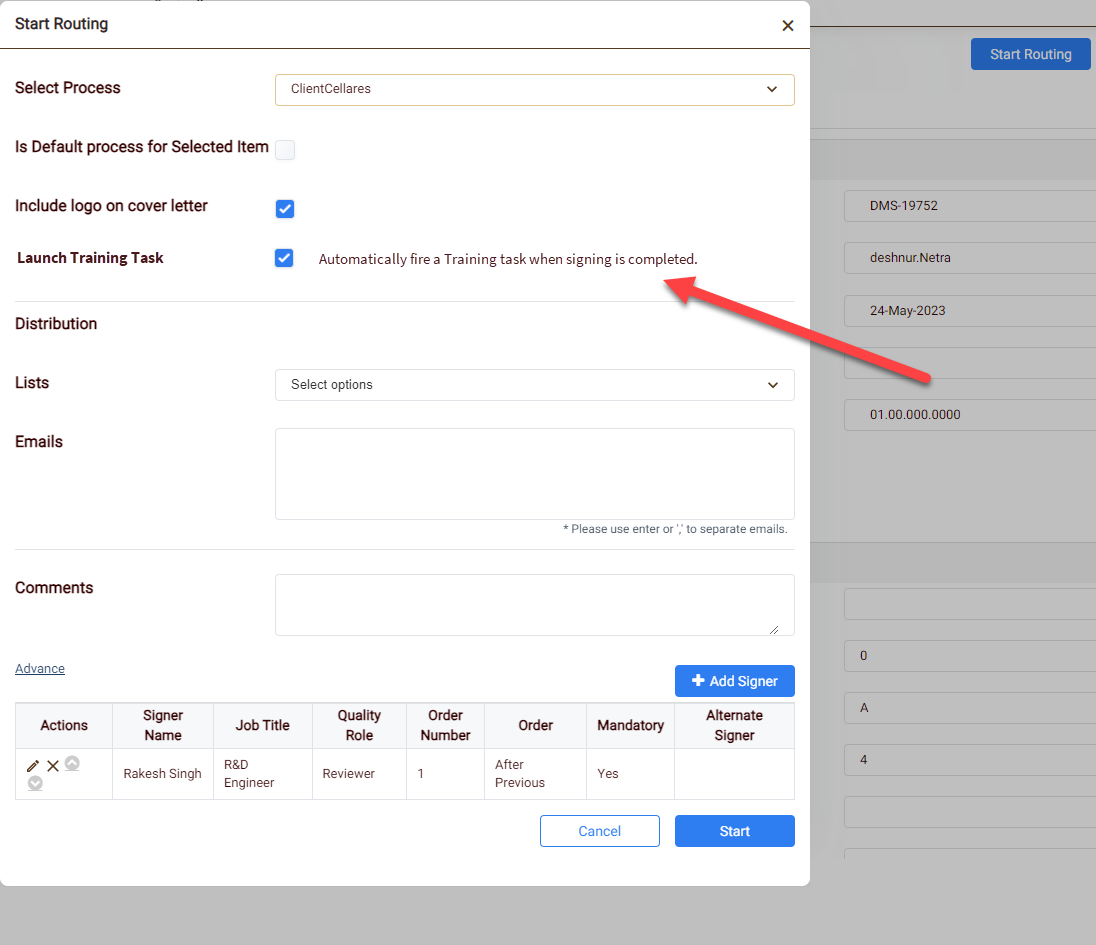
Start Routing allows users to decide whether training tasks should be automatically launched, helping avoid unnecessary training assignments for minor document changes.
Uncheck the auto training task fire when no training is needed.
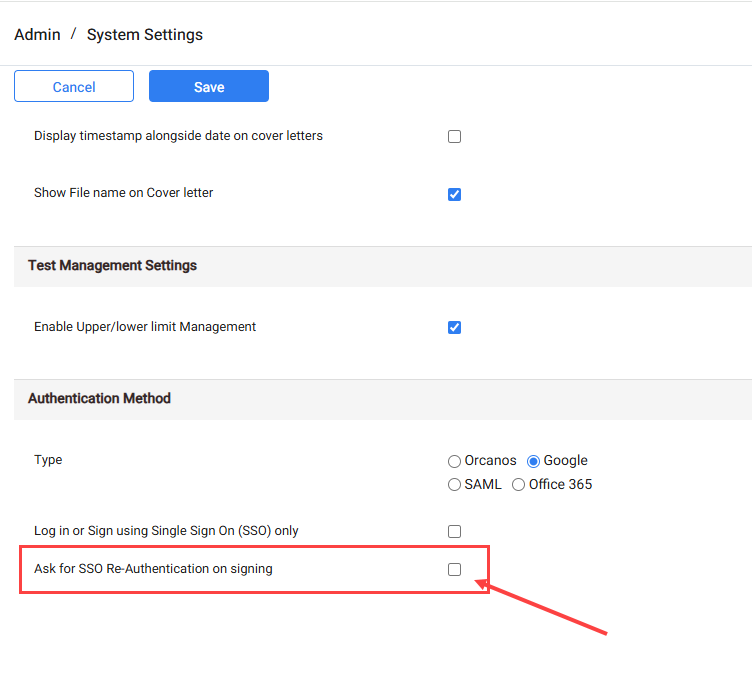
SSO re-authentication can now be forced during signing processes to provide stronger verification and security for all approvals.
In the Admin, System Settings screen. Check the option to “Ask for SSO Re-Authintication on signing”.
_HighPerformer_EMEA_HighPerformer.svg)
_FastestImplementation_Mid-Market_GoLiveTime.svg)

_HighPerformer_Mid-Market_EMEA_HighPerformer.svg)
.png)
.png)
